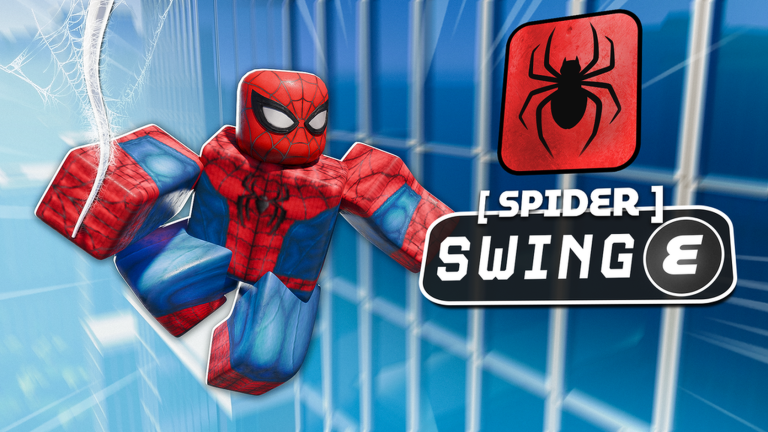
Spider Swing is visible in official Super Power Tycoon media. The image shows a Spider-themed character beside the prompt [SPIDER] SWING E. That supports the action name and a keyboard input in the captured build. It does not reveal where the power is purchased or how its swing physics work.
Equip Spider and locate the Swing prompt
Follow the current tycoon path until the live interface identifies the Spider power or Spider Swing action. Record the exact purchase label and preceding requirement. A Spider costume in promotional art is not enough to prove that a nearby button is the unlock.
Once equipped, look for [SPIDER] SWING and the platform-specific action. On PC, the official image shows E. On mobile or console, use the glyph displayed by the current build rather than a guessed equivalent.
Test the swing context methodically
Begin near open urban geometry with enough space to move. Aim the camera toward a nearby structure if the prompt appears contextual, press once, and observe whether the action attaches, launches, pulls, or begins a timed movement. Return to a stable position before the next trial.
Test camera direction, distance to structures, ground versus air, and a second press separately. Do not spam the key: in a toggle or cancel system, repeated input can make a working action appear broken. Record whether the interface changes when no valid context exists.
Avoid declaring a specific anchor model until it is repeatable. A swing effect in a static image does not prove that every building surface, tree, player, or open sky can serve as an anchor.
Measure traversal value
Choose two fixed landmarks and compare normal movement with Spider Swing across several runs. Record start point, end point, failed activations, and recovery time. The fastest successful run is not the whole answer; consistency matters when a missed swing drops you into PvP or away from a zone.
Test turning and landing separately from straight-line travel. A traversal power can be valuable for crossing the map but awkward near a precise capture area. Note whether taking damage, touching a wall, or changing the camera interrupts the action.
Use Spider Swing around combat carefully
The official experience includes PvP and territory defense, but the media does not show how Swing interacts with attacks. Test whether you can activate while targeted, whether it cancels an equipped weapon, and whether another action can be used mid-swing. Use a willing opponent or low-risk server before applying conclusions to competitive fights.
For zones, verify whether passing overhead contributes to capture or whether you must remain grounded in an area. For the miniboss, test Spider Swing as repositioning before claiming it avoids an attack. These are useful questions, not established mechanics.
Document the unlock after Rebirth
Record the Spider purchase before a Rebirth and check whether it must be rebuilt afterward. The current update states that Science is retained, but it does not provide a complete power-persistence list. If the unlock uses Cash or Science, note the currency shown rather than guessing from its tycoon position.
An evidence-quality report includes Place ID, server date, purchase path, platform, prompt, surrounding geometry, result, and pass state. This makes it possible to separate a control change from an unsuccessful context.
Spider Swing mistakes
- Assuming
Eapplies on mobile or controller. - Calling every visual web line a valid anchor.
- Repeatedly pressing the action and accidentally cancelling it.
- Comparing movement on different routes or server conditions.
- Claiming zone or miniboss immunity from traversal alone.
- Copying Spider controls from another superhero tycoon.
Spider Swing FAQ
What is the PC control?
Official media shows [SPIDER] SWING E. Confirm the current prompt after equipping the power.
Where do you unlock Spider Swing?
The public sources do not document the tycoon route or cost. Follow live purchase labels in the correct experience.
Does Swing need a building?
The image suggests a city traversal context, but exact anchor rules are not verified. Test camera direction and nearby geometry one condition at a time.
Is it better than Flight?
There is not enough evidence for a global ranking. Compare route time, failed activations, turning, landing, and exposure for your actual task.